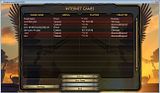
Changes:
- Shows how many AI players are in each game. No display means that there are 0.
- Highlights lobbies in red to show that they have passwords. Left the * symbol in that does the same thing.
*Note: This is a User-Interface mod, so it doesn't require anyone else to have it installed.
1. Go to the folder where Demigod is installed. eg. C:\Program Files (x86)\Stardock Games\Demigod
2. Extract dgdata.zip to a folder called dgdata.
3. Rename dgdata.zip to something else. eg. dgdata2.zip
4. Rename the dgdata folder to dgdata.zip.
5. Copy Join.lua over the same file located at:
dgdata.zip(the folder)\lua\ui\menus\Join\Join.lua
6. Now it should work, but remember: Rename the folder to something else and rename the zip file back to the original name before you install any new updates.
AI Player Display|||When you can check how many AI players are in there ...
do you have access to who exactly is in the game as well?
Showing the players who are in on mouseover would be awesome.
Good Stuff already though


No comments:
Post a Comment